
Animated Materials
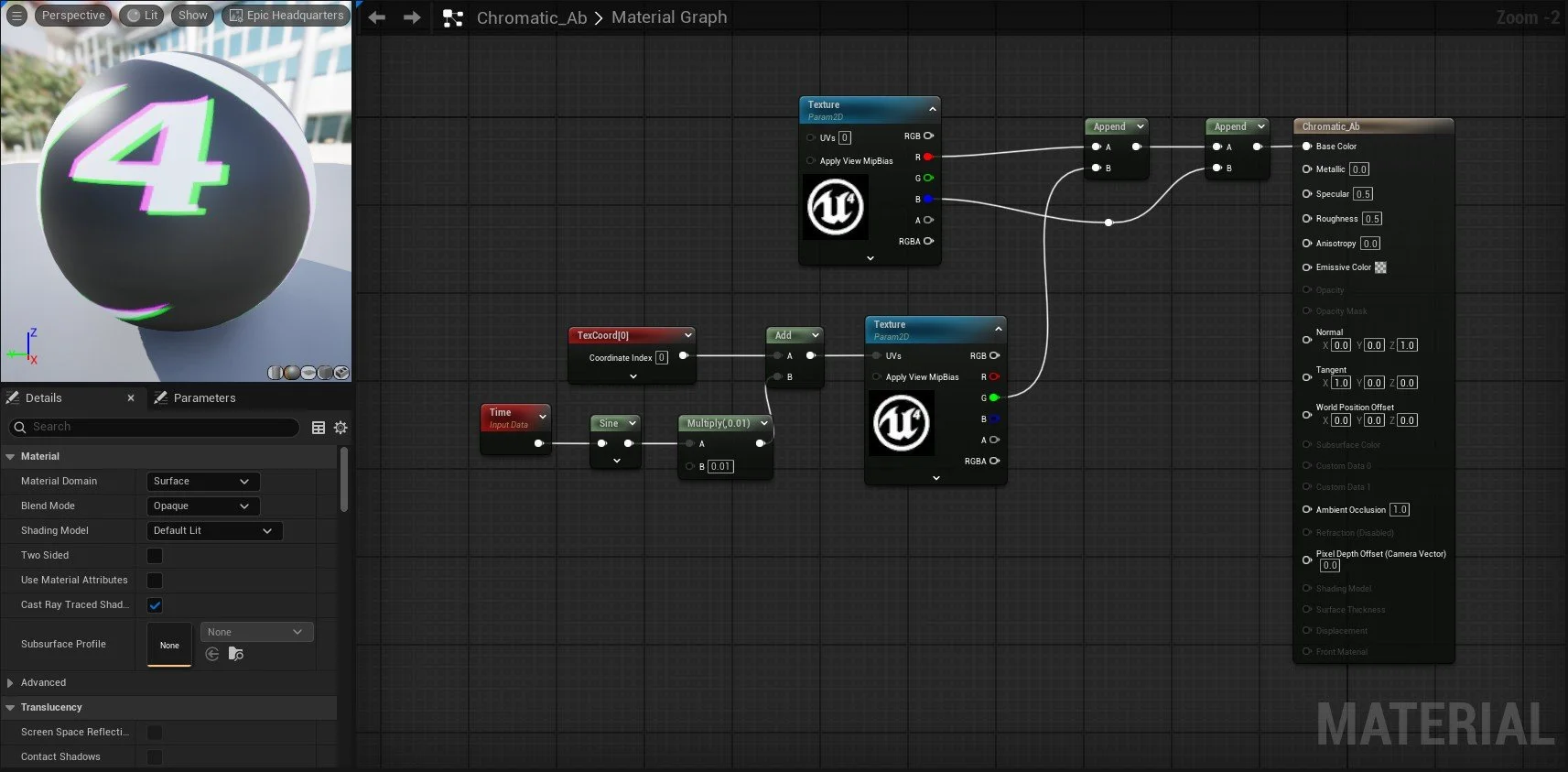
You can change the Texture Sample image by selecting the node and changing the texture associated with it alongside the amount of animation that takes place by adjusting the value on the Multiply Node (B).