
Creating and Customising Character
We can also animate using keyframes, facial expressions using a control Rig supplied with the MetaHuman Animator plugin we enabled at the start.
Step 1: Drag the Metahuman character into your level
Step 2: In Content Browser right right-click and create a Level Sequence
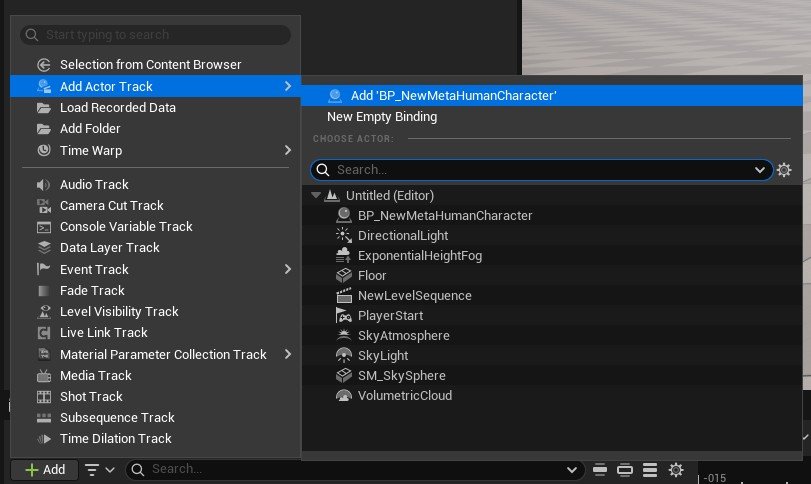
Step 3: Select the Metahuman in your level, and then under the Level Sequence panel, click on the +Add and add our Blueprint Character to the timeline
Step 4: This will add a control rig panel to the viewport, alongside showing all of the metahuman attributes we can keyframe. You can also LMB click on the yellow control sliders to adjust the various properties.
To add a keyframe, you can click on the keyframe button or enable the autokeyframe option, which will add a keyframe at the position along the timeline. For more information on using Level Sequences, please look at the learning materials under the Unreal Engine section on this website.


-
Add a short summary or a list of helpful resources here.